

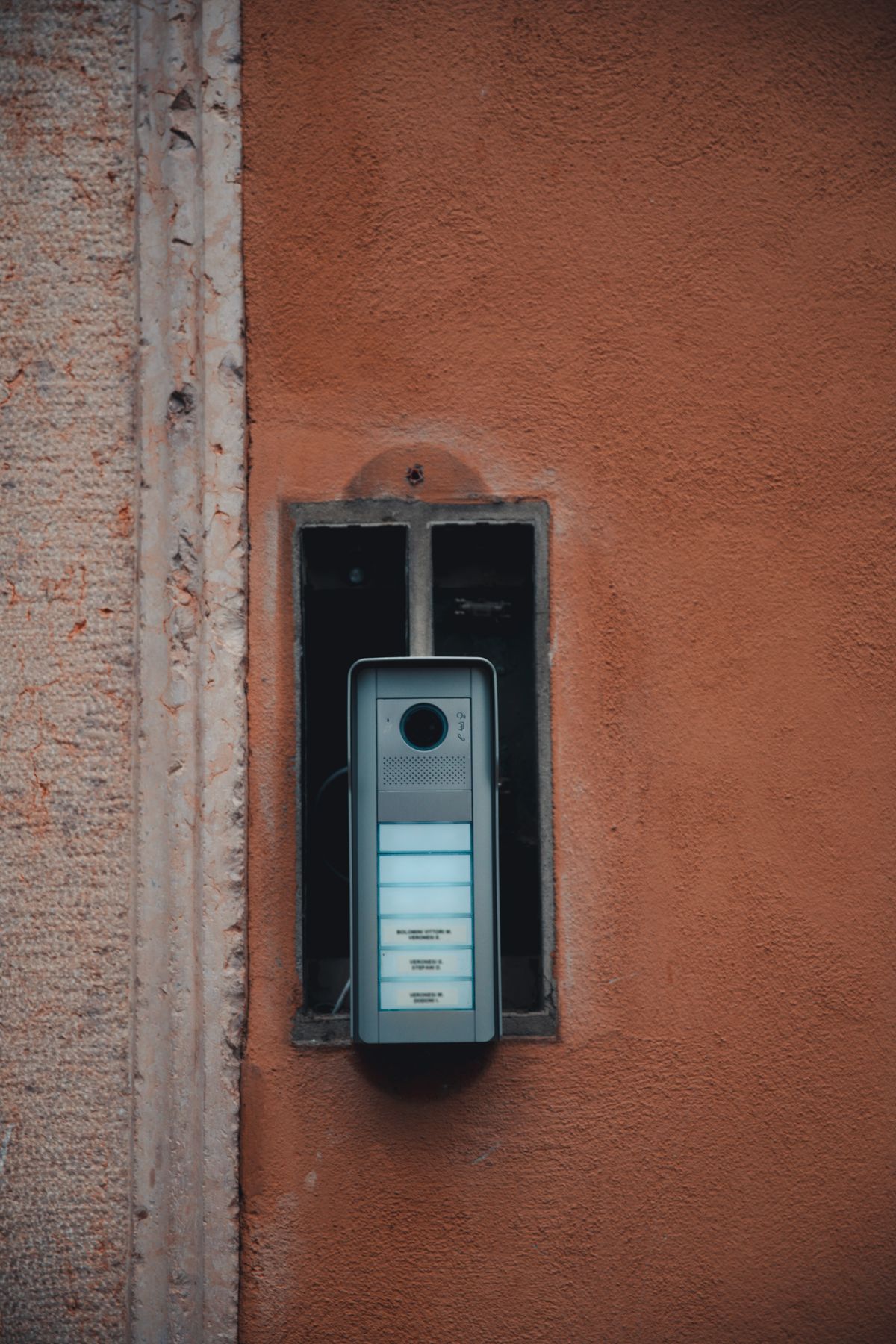
Video Intercom Retrofit in Walk-Up Buildings: What It Takes
Every walk-up in this city has the same ghost in the vestibule: a tarnished panel of buzzer buttons, half the name slots empty or taped over, wired to handsets that crackle when they work at all. Tenants buzz strangers in blind, packages vanish, and at some point a board meeting or a group chat produces the sentence that starts this whole subject: “Can we finally see who’s at the door?” The answer is yes — walk-ups can absolutely get video intercoms, usually without tearing the building apart. But the path from crackling buzzer to video panel has real decisions in it, and this is the map we give buildings before any hardware gets ordered.
Why walk-ups stayed audio-only for so long
No doorman, no management office on site, and — critically — old wiring. The classic walk-up intercom runs on a thin bundle of low-voltage wires from the entry panel up a riser to each apartment. Replacing that riser means opening walls in every unit and hallway, which is why generations of owners looked at video systems, heard the word “rewiring,” and closed the folder until next year.
That objection is largely obsolete, and the whole retrofit conversation changed because of it. Three routes now exist to put video in an old building, and choosing between them is the real work.
Route one: reuse the wires you already own
A whole class of modern systems — usually labeled “2-wire” — is designed specifically for retrofits. They push video, audio, and door-release signaling over the same pair of conductors your 1960s buzzer uses. The existing riser stays in the wall; the entry panel and the apartment stations get replaced; the walls stay closed.
When it works, it is the cleanest possible upgrade. The honest caveats: the old wiring has to actually be in usable condition end to end — corroded splices and mystery junctions surface on day one — and apartment stations typically need to change all at once, which makes it a building decision, not an apartment-by-apartment one. A proper wiring survey before ordering anything is not optional; it is the difference between a two-day job and a two-month argument.
Route two: IP systems — the full upgrade
The second route treats the intercom as a network device: an IP video panel at the door, network cabling to wherever it needs to go, and apartment stations that are effectively small screens on the building’s network. This is the most capable option — the best video quality, per-unit management, integration with access control and cameras — and the most invasive, since it wants new cabling in the riser.
For a six-unit walk-up, pulling one new cable run is often less dramatic than boards fear — risers, basements, and dumbwaiter shafts offer paths that avoid opening finished walls. But it is honest to say this route costs more disruption than the other two, and it earns its keep in buildings that want the intercom to be part of a larger security picture, not a standalone doorbell.
Route three: the smartphone-first shortcut
The third route skips apartment hardware entirely: a video panel at the entry that calls each resident’s phone — over the building’s internet or a cellular connection. Visitor presses the button, tenant sees them on a phone screen from the couch, the office, or another time zone, and releases the door with a tap.
For walk-ups this is frequently the sweet spot: no riser work at all, no in-unit installation appointments, and features tenants actually use — delivery PINs, virtual keys for guests, a log of who was buzzed in. The trade-offs are equally real: the building takes on a dependency (internet or cellular service at the door), most platforms carry an ongoing service subscription, and residents without smartphones need an answer — usually a code, a fob, or one conventional in-unit station kept alive for them. A building that is honest about its tenant mix chooses well here; a building that pretends everyone is twenty-eight chooses support tickets.
The part everyone forgets: the door itself
Here is the locksmith’s contribution to this subject, and it is the one that decides whether the shiny new panel actually secures anything. A video intercom does exactly two things: it shows you who is there, and it tells the door to open. That second half is hardware — an electric strike or magnetic lock on the entry door, wired to the panel’s release relay — and it inherits every sin of the door it is mounted on.
We wrote in our intercom repair-or-upgrade guide that half of all “broken intercom” complaints turn out to be door hardware, and retrofits are where that lesson bites hardest. A sagging steel door that needs a shoulder to close will not magically latch because the intercom is new — and an electric strike on a door that does not latch is a security system that holds the door open politely. Budget for the vestibule door to be inspected, aligned, and if needed re-hung as part of the project, not discovered as a problem after the panel is live. That assessment is standard door installation and repair work, and skipping it is how buildings end up with a beautiful screen bolted to a broken door.
Questions a board should ask before signing anything
- Who administers the system? Names change, tenants move, codes need revoking. Someone — a board member, the managing agent — owns that job. If the answer is “the vendor, for a fee,” get the fee in writing.
- What happens when a tenant moves out? The answer should be a quick administrative change, not a service call. This mirrors the key-control discipline we preach for managed buildings generally: access you cannot revoke is access you do not control.
- What happens when the internet dies? For connected systems: does the door still release from inside units? Is there a fail-secure plan? “It has never gone down” is not an answer; it is a forecast.
- Is the panel rated for the sidewalk? Entry panels live in weather and meet the public. Vandal-resistant housings and flush mounting are not luxury options on a street-facing door.
- Who maintains the strike and the door? The intercom vendor installs electronics; the door is a mechanical system that wears. Split responsibilities kill accountability — ask who answers when the release clicks but the door stays shut.
What a realistic project looks like
For a typical walk-up: a survey visit (wiring condition, door hardware, internet availability at the vestibule), a route decision the building actually understands, then one to three days of installation — panel, door release, stations or app onboarding — with tenants notified and a transition period where old keys and new access overlap. No drama, no summer-long construction. The buildings that suffer are the ones that bought hardware first and asked questions second.
If your building is at the group-chat stage of this decision, start with the survey, not the catalog. Describe your vestibule, your wiring, and your tenant mix through our contact form, or bring us in to look — as a commercial locksmith service we handle the door, the release hardware, and the honest conversation about which route fits the building you actually have, rather than the building the brochure imagines.
Written by Mykhailo — NYC DCWP-licensed locksmith, FixMate Locksmith. Serving all five boroughs, around the clock.
Board finally ready to see who’s at the door?
Request a quote · Commercial locksmith service
Price named and confirmed before any work starts. No surprises at the door.